
.png)
Description
Download StickerAIArt – AI‑Powered Custom Sticker Maker, Free Trial, Secure Online Design Tool
Overview of StickerAIArt
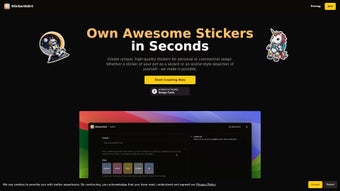
StickerAIArt is a cutting‑edge, AI‑driven web application that turns simple ideas into vibrant, printable stickers in seconds. The platform leverages a deep‑learning model trained on millions of images, allowing users to generate high‑quality graphics from plain text prompts or uploaded pictures. Whether you are a professional designer looking for rapid prototyping, a marketer wanting to launch a branded sticker campaign, or a casual user who enjoys personalizing chats, StickerAIArt offers a streamlined workflow that eliminates the need for traditional illustration skills. The tool’s standout capability is its “style reference” feature: by uploading a mood board or selecting from pre‑made templates, the AI learns the desired color palette, line weight, and overall aesthetic, then reproduces those characteristics in each generated sticker. This ensures visual consistency across a whole series, which is especially valuable for brand identity work. Additionally, StickerAIArt includes an upscale function that enhances the resolution of generated assets, making them suitable for high‑definition printing on merchandise, laptop skins, or physical sticker sheets. The service operates on a subscription model but provides a risk‑free free trial, enabling users to test the core functionalities before committing. Because it runs entirely in the cloud, there is no need for heavyweight installations; a modern browser on Windows, macOS, Linux, Android, or iOS is sufficient. Export options cover PNG with transparent backgrounds, JPG for quick social sharing, and direct one‑click sharing to WhatsApp, iMessage, Telegram, and other messaging platforms. In summary, StickerAIArt blends powerful generative AI, a user‑friendly interface, and seamless sharing capabilities to make custom sticker creation accessible to anyone, regardless of skill level.
Key Features, Benefits, Pros & Cons
- AI‑Generated Stickers from Text Prompts: Enter a description like “neon‑lit cat astronaut” and receive a unique, ready‑to‑use sticker in seconds.
- Image Upload & Style Reference: Upload a photo or mood board; the AI adapts its output to match the chosen style, ensuring consistency across a sticker series.
- High‑Resolution Upscale: Boost DPI for print‑ready quality, ideal for merchandise, laptop skins, or professional sticker sheets.
- Cross‑Platform Sharing: Export directly to WhatsApp, iMessage, Telegram, or download as PNG for any platform.
- Flexible Subscription Model: Free trial for new users, followed by tiered plans (Basic, Pro, Enterprise) that unlock unlimited generations, priority rendering, and commercial‑use rights.
- Secure Cloud Processing: All AI computations run on encrypted servers; uploaded images are automatically deleted after processing unless saved in a personal gallery.
- Responsive Web Interface: No downloads required; the UI works flawlessly on desktops, tablets, and smartphones.
- Regular Updates & Community Marketplace: Monthly AI model improvements and a marketplace where creators share sticker templates and style packs.
Why StickerAIArt Stands Out
Most graphic tools demand manual drawing skills, but StickerAIArt eliminates that barrier by employing generative AI. The style‑reference capability is a game‑changer for agencies and brands that need a cohesive look across multiple stickers without hiring a designer for each iteration. The upscale function solves the common frustration of low‑resolution outputs that become pixelated when printed, delivering crisp, professional‑grade results. Moreover, the platform’s subscription structure, beginning with a free trial, makes it financially accessible while still offering premium features for power users. The built‑in sharing shortcuts transform a creative session into instant social interaction, reducing the time from concept to distribution.
Pros
- Rapid AI generation – stickers ready in seconds.
- No design experience needed; intuitive UI.
- Style reference ensures brand consistency across assets.
- High‑resolution upscale for professional‑grade prints.
- One‑click sharing to major messaging apps.
- Secure, GDPR‑compliant cloud processing.
- Free trial and flexible subscription tiers.
Cons
- Full feature set requires a paid subscription.
- Dependent on a stable internet connection; offline use unavailable.
- AI may misinterpret vague or overly complex prompts.
- Limited post‑generation vector editing capabilities.
Frequently Asked Questions
Can I use StickerAIArt stickers for commercial purposes?
Yes, commercial usage is included in the Pro and Enterprise plans. The Basic plan limits usage to personal projects only.
Is there a limit to how many stickers I can generate per month?
The free trial allows up to 20 stickers. Paid tiers provide unlimited generations, with the Enterprise plan offering priority rendering queues.
What file formats are supported for upload and export?
Uploads accept JPEG, PNG, and SVG. Export options include PNG (transparent) and JPG. Upscaled files retain PNG transparency.
Do I need a powerful computer to run StickerAIArt?
No. All heavy processing occurs on StickerAIArt’s servers. A modern browser and a stable internet connection are sufficient.
How does the style reference feature work?
You upload one or more images that represent the desired aesthetic. The AI analyses color schemes, line styles, and textures, then applies those characteristics to the generated sticker.
Rating: ★★★★☆ (4.5/5)
Pros: Speed, ease of use, high‑quality upscale, style consistency.
Cons: Requires internet, premium features locked behind subscription.
Verdict: StickerAIArt delivers a powerful, user‑friendly solution for anyone needing custom stickers quickly and professionally.
Installation, Usage & Compatibility
Getting Started – No Download Required
Because StickerAIArt is a cloud‑based service, you can begin creating stickers instantly from any up‑to‑date web browser (Chrome, Firefox, Safari, Edge). Visit stickeraiart.com, click “Start Free Trial,” and register with an email address or a social‑login option. After confirming your email, you are taken to a clean dashboard where the “Create New Sticker” button awaits.
Step‑by‑Step Workflow
- Choose Input Method: Select “Text Prompt” for quick ideas or “Upload Image” to start from an existing visual.
- Define Style (Optional): Upload a style board or pick a template from the community gallery; the AI uses this as a visual guide.
- Generate: Press “Render.” Within a few seconds, a preview appears. Use “Regenerate” for variations or edit the prompt for refinement.
- Upscale & Export: Click “Upscale” (available on Pro and higher tiers) to increase resolution, then choose PNG (transparent) or JPG for download.
- Share Instantly: One‑click buttons let you send the sticker to WhatsApp, iMessage, Telegram, or copy a shareable link.
Operating System Compatibility
StickerAIArt runs entirely in the browser, making it compatible with Windows 10/11, macOS Monterey and later, most Linux distributions, Android 8.0+, and iOS 13+. The responsive design adapts to desktops, tablets, and smartphones, ensuring a smooth experience regardless of screen size.
Security, Updates & Billing
All data transfers are protected with TLS 1.3 encryption, and the platform adheres to GDPR and CCPA standards. Uploaded assets are automatically erased from the server after processing unless you opt to store them in your personal gallery. Software updates—including AI model enhancements and UI tweaks—are deployed server‑side, so you always work with the latest version without manual installations. Billing is handled securely via Stripe, offering monthly or annual payment options and supporting major credit cards and PayPal.
Conclusion & Call to Action
StickerAIArt bridges the gap between creativity and technology, turning simple ideas into polished stickers with just a few clicks. Its AI engine, combined with a robust style‑reference system and high‑resolution upscaling, makes it a standout tool for marketers, content creators, and casual users alike. The free trial removes any risk, while tiered subscription plans ensure that power users can scale their sticker production without friction. Whether you want to add a personal flair to your messaging apps, launch a branded sticker campaign, or explore a fun design outlet, StickerAIArt offers a secure, fast, and visually striking solution. Download StickerAIArt today, start your free trial, and unleash your imagination one sticker at a time!
Guides & Tutorials for StickerAIArt
How to install StickerAIArt
- Click the Preview / Download button above.
- Once redirected, accept the terms and click Install.
- Wait for the StickerAIArt download to finish on your device.
How to use StickerAIArt
This software is primarily used for its core features described above. Open the app after installation to explore its capabilities.
User Reviews for StickerAIArt 0
No reviews found




